What Is TOON Format? JSON vs TOON for AI Prompts
JSON is everywhere. Websites use it, mobile apps use it, APIs return it, and developers love it because it is simple and predictable. But when the same JSON data is sent to an AI model, one problem appears very quickly: JSON can use many extra tokens.
That is where TOON comes in. TOON stands for Token-Oriented Object Notation. It is a compact way to represent JSON-like structured data for AI prompts. The goal is not to replace JSON in your app. The goal is to send repeated structured data to an LLM in a cleaner, shorter, and more token-friendly format.
In this guide, you will learn what TOON is, how it compares with JSON, where it helps, where it does not help, and how you can use it in real AI workflows like SEO audits, product catalogs, analytics reports, and content tools.
What is JSON?
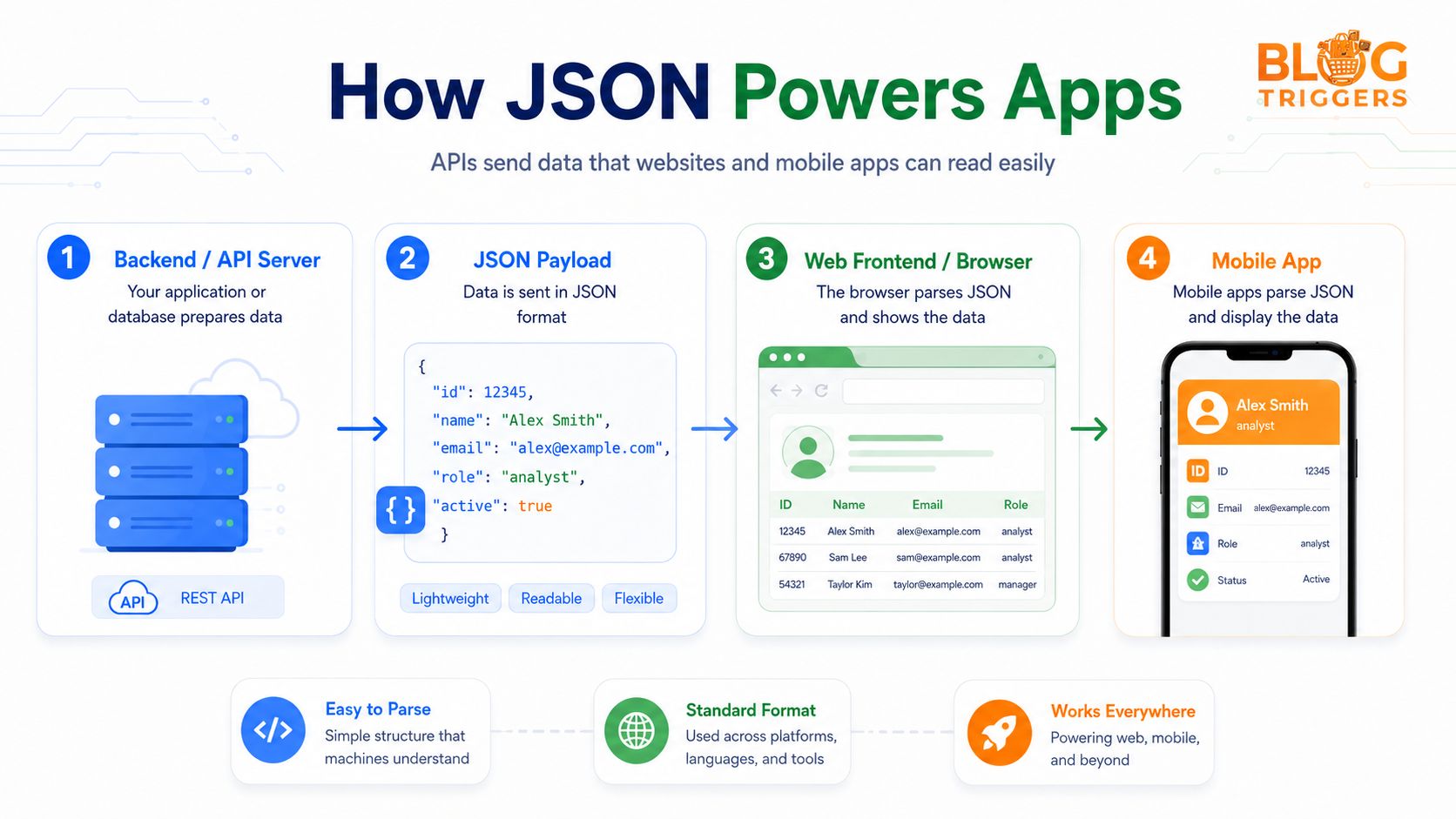
JSON means JavaScript Object Notation. It is a standard format for storing and sending data between systems. When your frontend talks to your backend, when your mobile app calls an API, or when a webhook sends payment data, JSON is usually the safest choice.
JSON is popular because it is easy for machines to parse and easy for developers to read. For example, a user object in JSON may look like this:
{
  "id": 12345,
  "name": "Alex Smith",
  "email": "alex@example.com",
  "role": "analyst"
}
This is clean and simple. The issue starts when you have hundreds or thousands of similar objects. In that case, the same keys repeat again and again: id, name, email, role, and so on.
For normal software, that repetition is not a big problem. But for AI prompts, every repeated key can increase token usage.
What is TOON format?
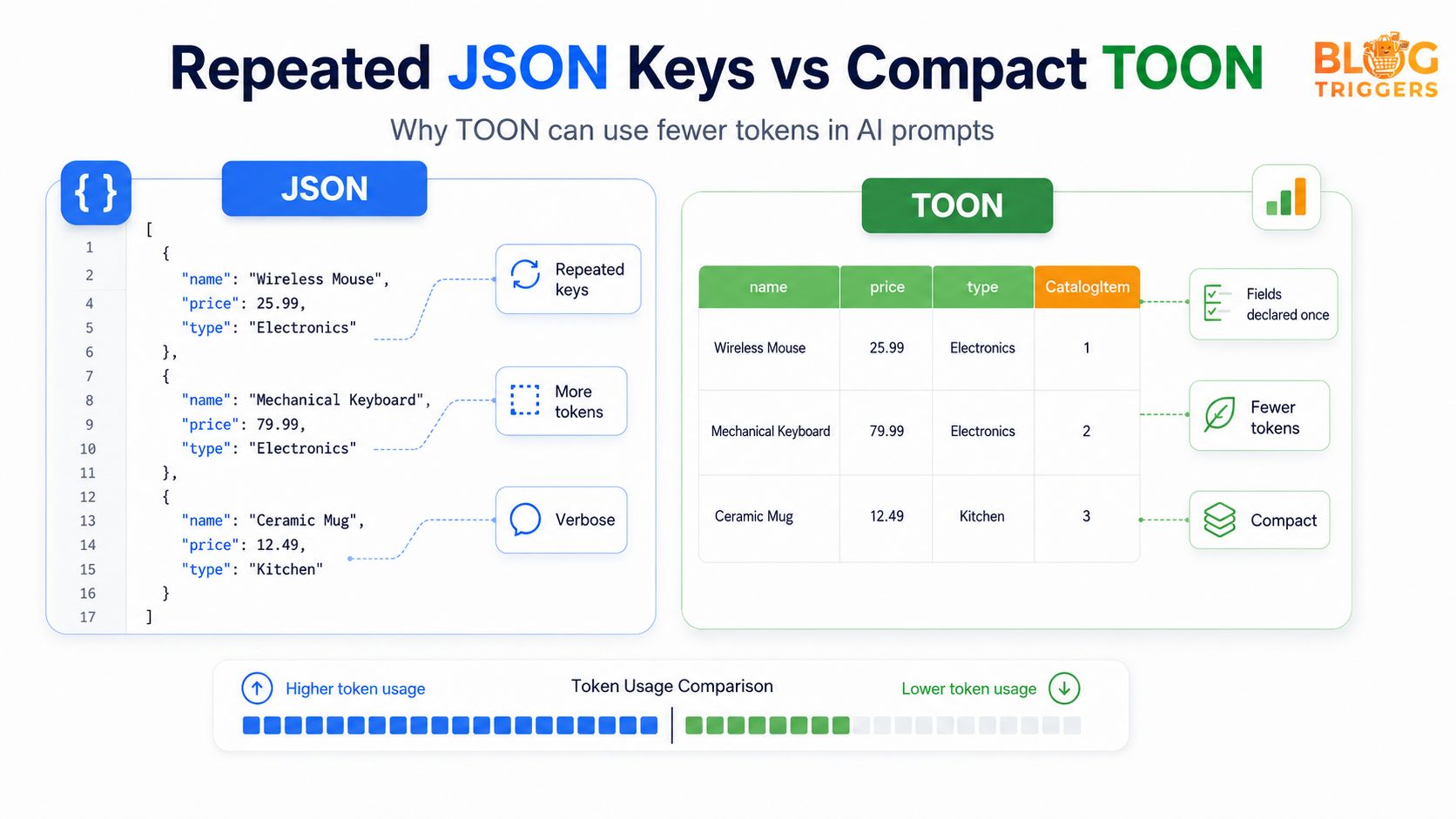
TOON is a compact data format designed for LLM prompts. Instead of repeating the same field names in every object, TOON can declare the fields once and then place the values in rows.
Think of it like this: JSON is like writing every form field again and again. TOON is like creating a table where the column names are written once and the rows contain only the values.
Here is a simple example.
JSON example
[
  {
    "name": "Wireless Mouse",
    "price": 25.99,
    "type": "Electronics"
  },
  {
    "name": "Mechanical Keyboard",
    "price": 79.99,
    "type": "Electronics"
  },
  {
    "name": "Ceramic Mug",
    "price": 12.49,
    "type": "Kitchen"
  }
]
TOON-style example
products[3]{name,price,type}:
  Wireless Mouse,25.99,Electronics
  Mechanical Keyboard,79.99,Electronics
  Ceramic Mug,12.49,Kitchen
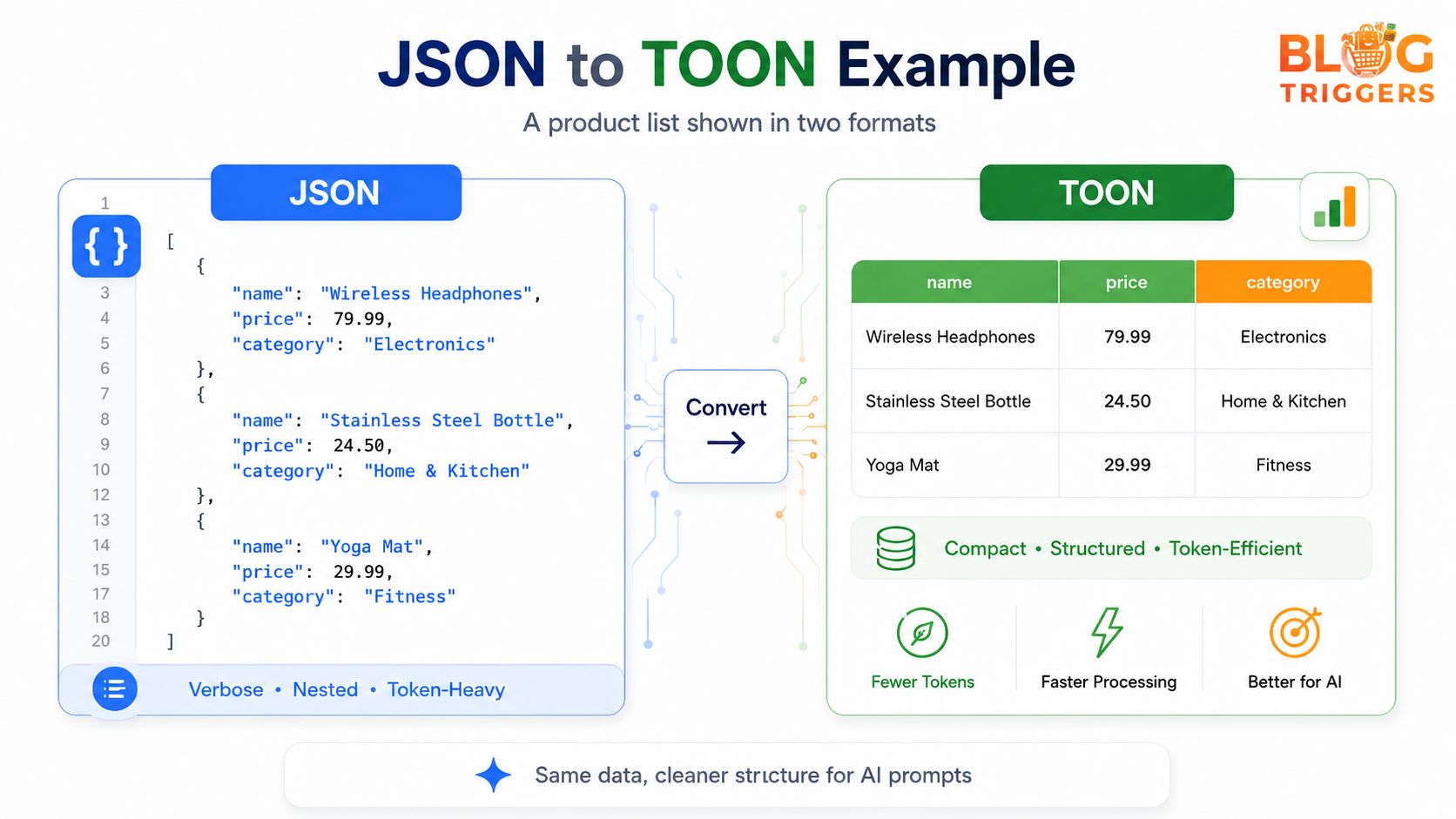
The data is the same, but the structure is shorter. The fields are declared once, and the rows become easier to scan. This is why TOON is useful when you are sending large, repeated datasets to an AI model.
JSON vs TOON: quick difference table
| Point | JSON | TOON |
|---|---|---|
| Best use | APIs, apps, databases, webhooks | AI prompts with repeated structured data |
| Token usage | Higher when keys repeat many times | Lower for table-like repeated data |
| Tool support | Very mature and universal | New and mainly LLM-focused |
| Readability | Very readable for developers | Readable for rows, tables, and prompt data |
| Nested data | Strong for complex structures | Useful, but not always best for deeply nested data |
| Production APIs | Recommended | Not recommended as a replacement |
| AI prompt input | Works, but can be verbose | Often better for compact prompt input |
The simple rule is: use JSON for software systems and TOON for large AI prompt data.
Why TOON can save tokens
LLM tools charge and process data using tokens. A token is roughly a small piece of text. If your prompt contains more text, it usually uses more tokens. JSON includes braces, quotes, commas, repeated keys, and nested structures. These are useful for software, but they can become expensive when repeated many times in an AI prompt.
TOON reduces that repeated structure. It removes unnecessary repetition and makes the data more compact. This means you may be able to fit more useful information inside the same model context window.
For example, if you are asking AI to analyze 500 product rows, JSON may repeat name, price, category, stock, and rating hundreds of times. TOON can keep those field names once and then send rows of values.
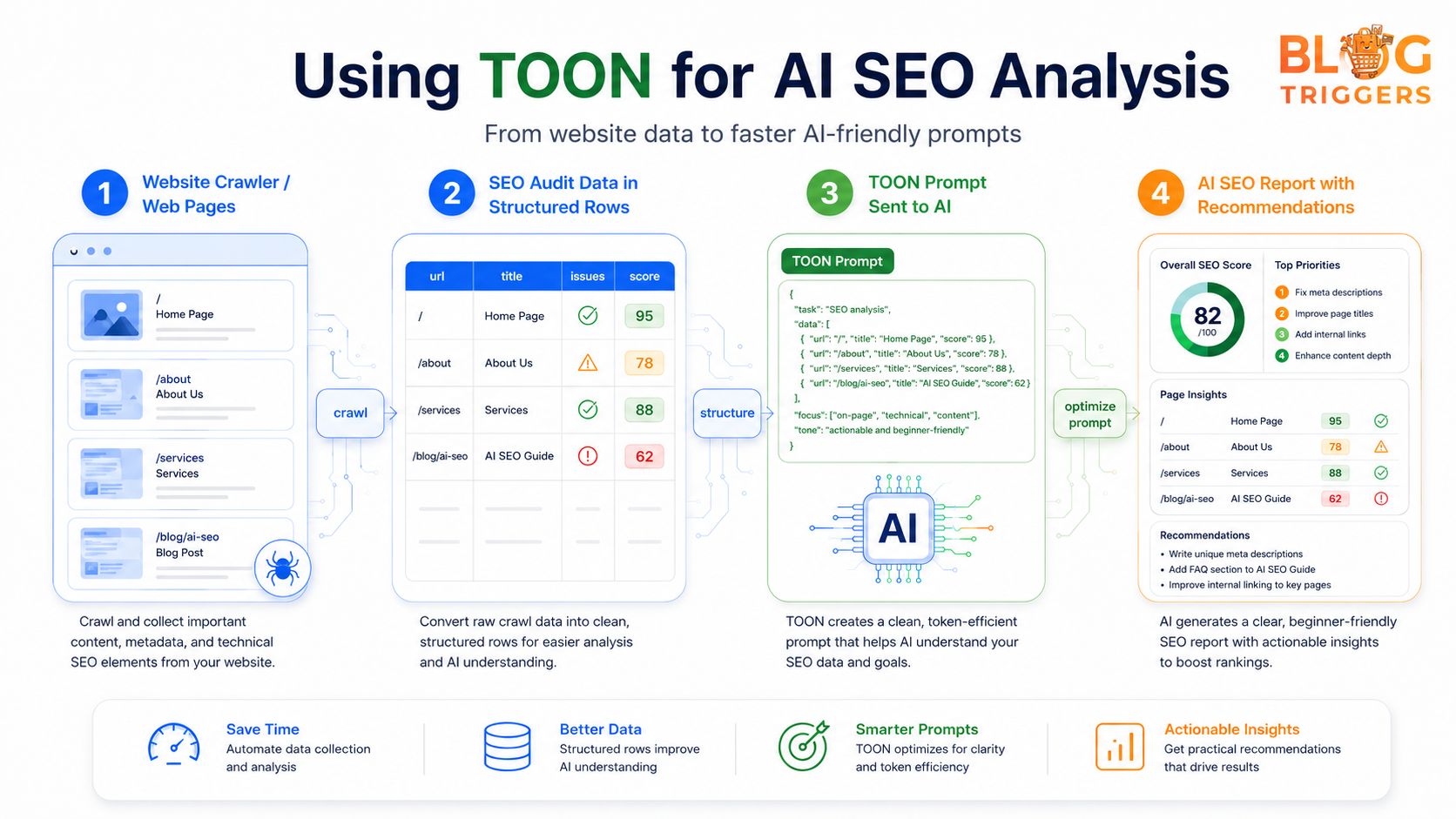
Practical use case: AI SEO audit
TOON becomes more useful when you are building AI-powered tools. For example, imagine you run a website audit and collect data from many pages:
- URL
- title tag
- meta description
- H1
- word count
- SEO score
- missing schema
- image alt issues
- internal link count
If you send this data to AI in JSON, every page repeats the same keys. If you send it in TOON, you can convert the audit result into structured rows.
pages[4]{url,title,score,issue}:
  /,Home Page,95,none
  /about,About Us,78,missing meta description
  /services,Services,88,needs internal links
  /blog/ai-seo,AI SEO Guide,62,title too short
Now the AI can understand the same data with less structural noise. You can ask:
Analyze this SEO audit data. Give me the top issues, priority fixes, and a beginner-friendly action plan.
This is useful for SEO tools, content planning tools, keyword clustering, technical audits, and report generation.
Where TOON helps most
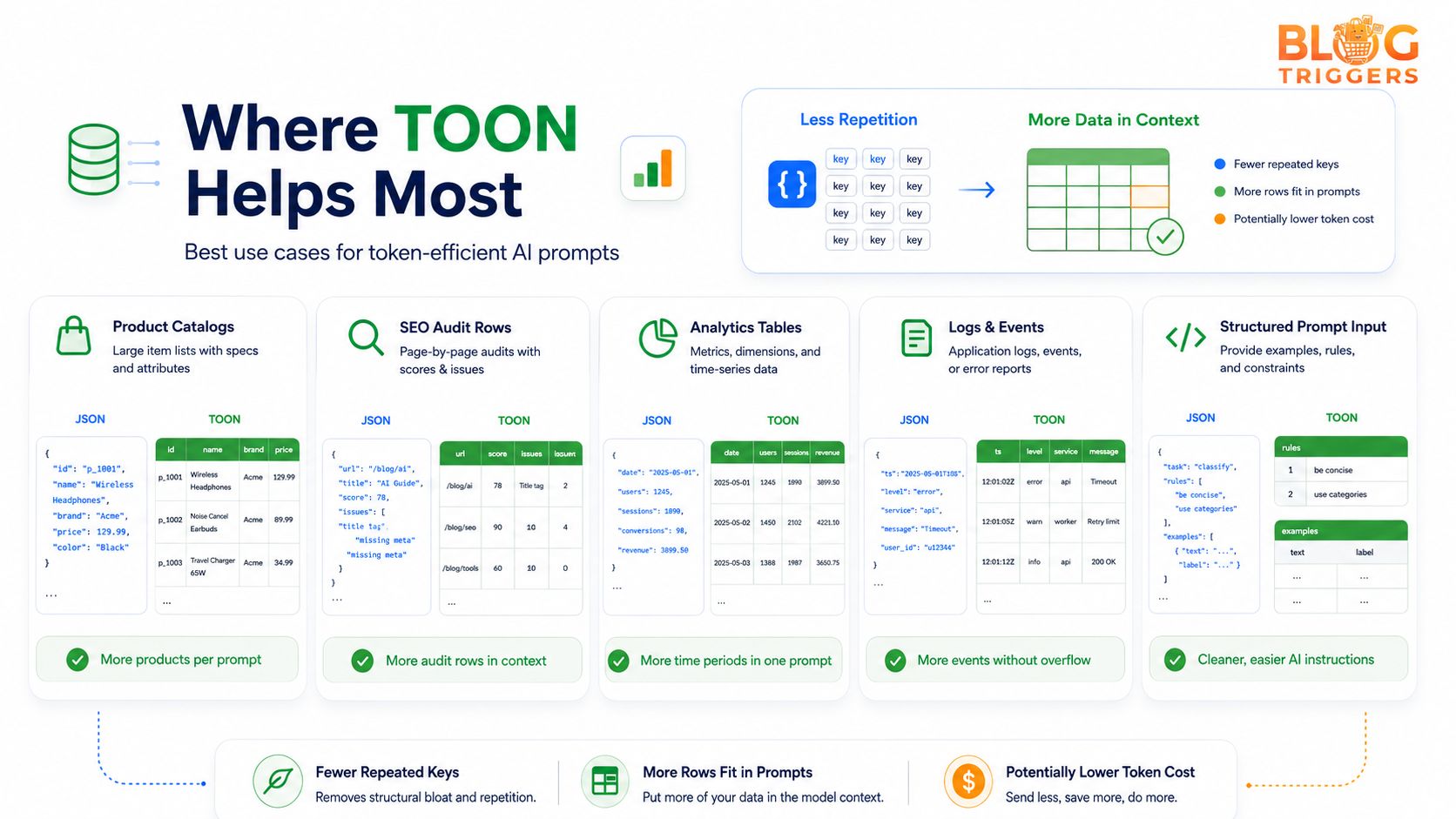
TOON is not useful for every situation. It works best when your data is repeated and structured like a table.
Good use cases include:
- Product catalogs with many items
- SEO audit rows from many pages
- Analytics reports with dates and metrics
- Logs and event data
- Keyword lists and clusters
- Content calendars
- AI prompt examples with labels
- RAG context where records have the same shape
For BlogTriggers-style tools, TOON can be useful in AI SEO audit generators, keyword research tools, AI content calendar builders, template recommendation engines, and structured report generators.
When JSON is still better
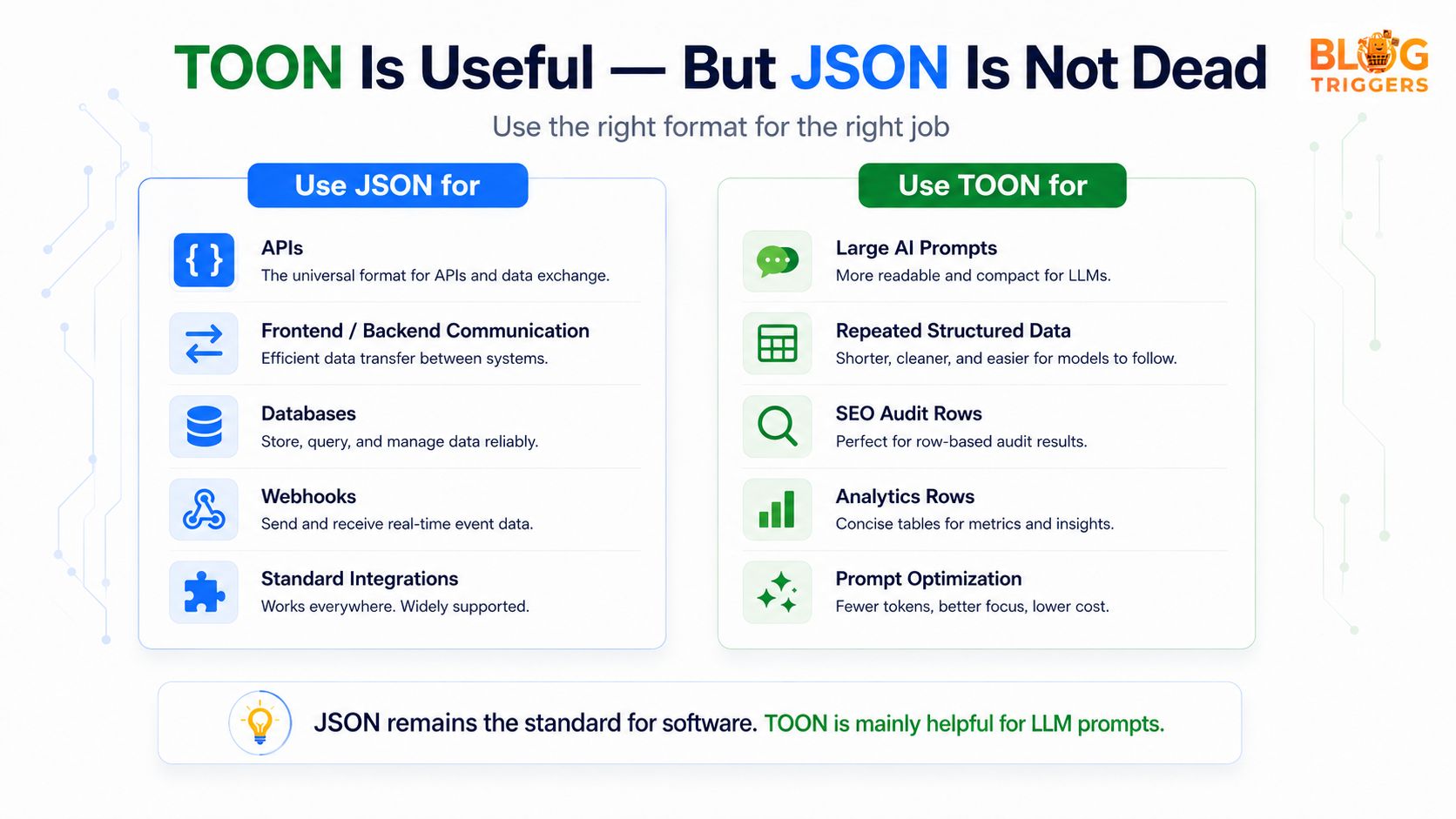
Do not replace JSON everywhere. JSON is still the standard for real applications.
Use JSON when you are working with:
- REST APIs
- frontend and backend communication
- database documents
- payment gateway responses
- webhook payloads
- authentication systems
- third-party integrations
- deeply nested configuration files
JSON has strong support in almost every programming language. It is easy to validate, debug, store, and exchange between systems. TOON is mainly helpful when your target reader is an AI model, not another software system.
So the correct mindset is not “TOON vs JSON, one must win.” The better mindset is JSON and TOON both have different jobs.
Should you use TOON in your project?
Use TOON when you already have structured JSON data and you want to feed it to an AI model more efficiently. For example, your backend can still store and return JSON. Before sending data to AI, you can transform that JSON into TOON.
A simple workflow can look like this:
- Collect data in your app as JSON.
- Clean and validate the data.
- Convert repeated rows into TOON.
- Add clear instructions for the AI model.
- Ask AI to analyze, summarize, classify, or generate a report.
This gives you the best of both worlds: JSON for your application and TOON for prompt optimization.
Simple decision guide
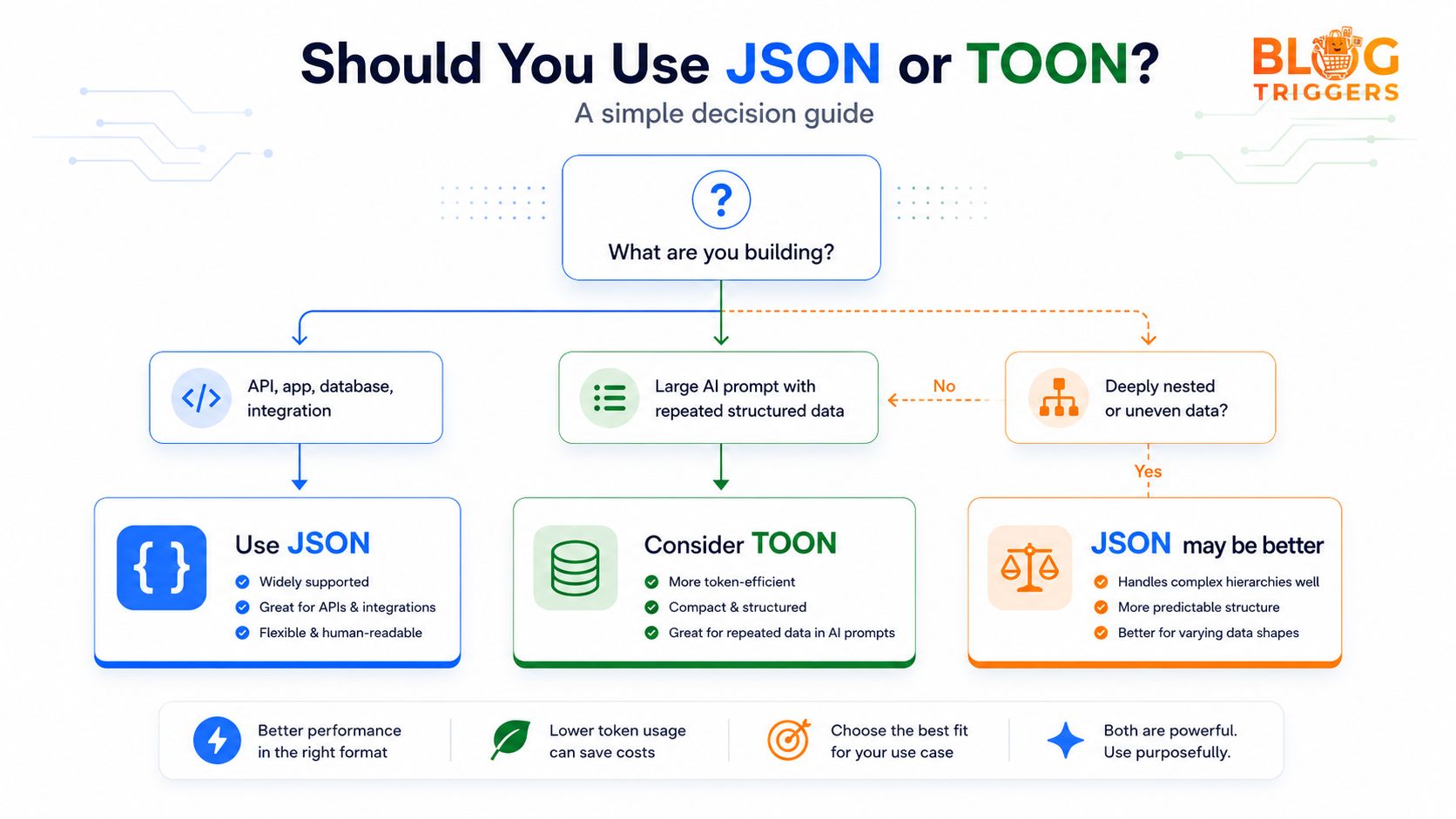
| Situation | Best choice |
|---|---|
| You are building an API | JSON |
| You are saving data in a database | JSON |
| You are sending webhook data | JSON |
| You are giving AI 500 similar records | TOON |
| You are analyzing SEO audit rows with AI | TOON |
| Your data is deeply nested and uneven | JSON may be easier |
| Your goal is lower prompt token usage | TOON can help |
Common mistakes to avoid
The first mistake is using TOON as a full replacement for JSON. That is not needed. JSON is still the better choice for most app-to-app communication.
The second mistake is converting very small data into TOON. If you only have one or two objects, the savings may not matter.
The third mistake is sending TOON without clear instructions. If your AI model has not seen the format before, add a short note such as: “The following data is in TOON format. Fields are declared once, and each row contains values in the same order.”
The fourth mistake is using TOON for messy data where every row has different fields. TOON performs best when rows share a consistent structure.
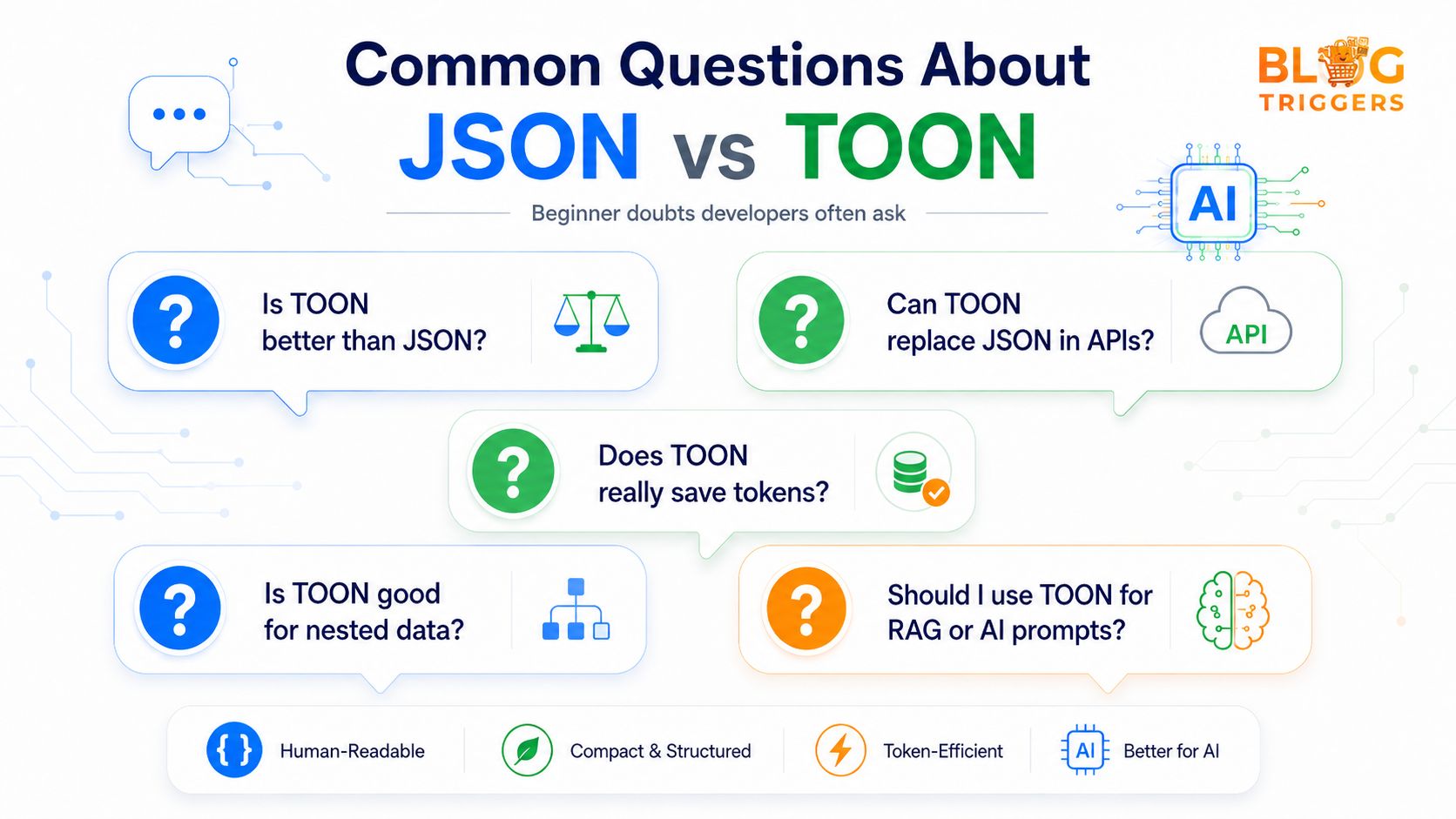
FAQ: JSON vs TOON
1. Is TOON better than JSON?
TOON is better only for specific AI prompt use cases. JSON is better for APIs, apps, databases, and integrations. TOON is better when you are sending large repeated structured data to an LLM.
2. Can TOON replace JSON in APIs?
No. JSON is still the safer and more supported format for APIs. TOON should be used mainly as a prompt optimization layer before sending data to AI.
3. Does TOON really save tokens?
Yes, TOON can save tokens when your data has repeated keys and table-like rows. The bigger and more uniform the dataset, the more useful TOON becomes.
4. Is TOON good for SEO tools?
Yes. SEO audit data is usually row-based: URL, title, score, issue, priority, and recommendation. This makes it a good fit for TOON before sending it to an AI model.
5. Should beginners learn TOON?
Beginners should first understand JSON. After that, TOON is easy to understand because it is basically a more compact way to represent structured data for AI prompts.
6. Is TOON useful for RAG?
It can be useful when your retrieved records have the same structure, such as product rows, document metadata, support tickets, or search results. If your RAG context is mostly long paragraphs, markdown may be better.
7. What is the biggest benefit of TOON?
The biggest benefit is reducing repeated structure in prompts. This can help you fit more data in the context window and may reduce AI API cost.
8. What is the biggest limitation of TOON?
The biggest limitation is ecosystem support. JSON has mature parsers and tools everywhere. TOON is newer and mainly useful around LLM workflows.
9. Should I use compact JSON instead of TOON?
Compact JSON can help, but it still repeats keys in every object. TOON is more useful when you have many rows with the same fields.
10. What is the safest rule?
Use JSON inside your software. Use TOON only when sending large repeated structured data to AI.
Final thoughts
TOON is a smart format for the AI era, but JSON is not going away. JSON is still the backbone of modern web development. TOON is best seen as an optimization format for LLM prompts.
If you are building AI tools, SEO automation, content generators, analytics assistants, or product recommendation systems, TOON is worth testing. Start with JSON, clean your data, convert repeated rows into TOON, and compare the results.
The winning strategy is simple: use JSON where software needs reliability and use TOON where AI needs compact context.
Comments
Please login to leave a comment
Build faster from this idea
Pick a ready-made asset and turn this article into a working page faster.