
SEO Checklist Excel Template - 580+ SEO Tasks, Dashboard, Trackers & Reports
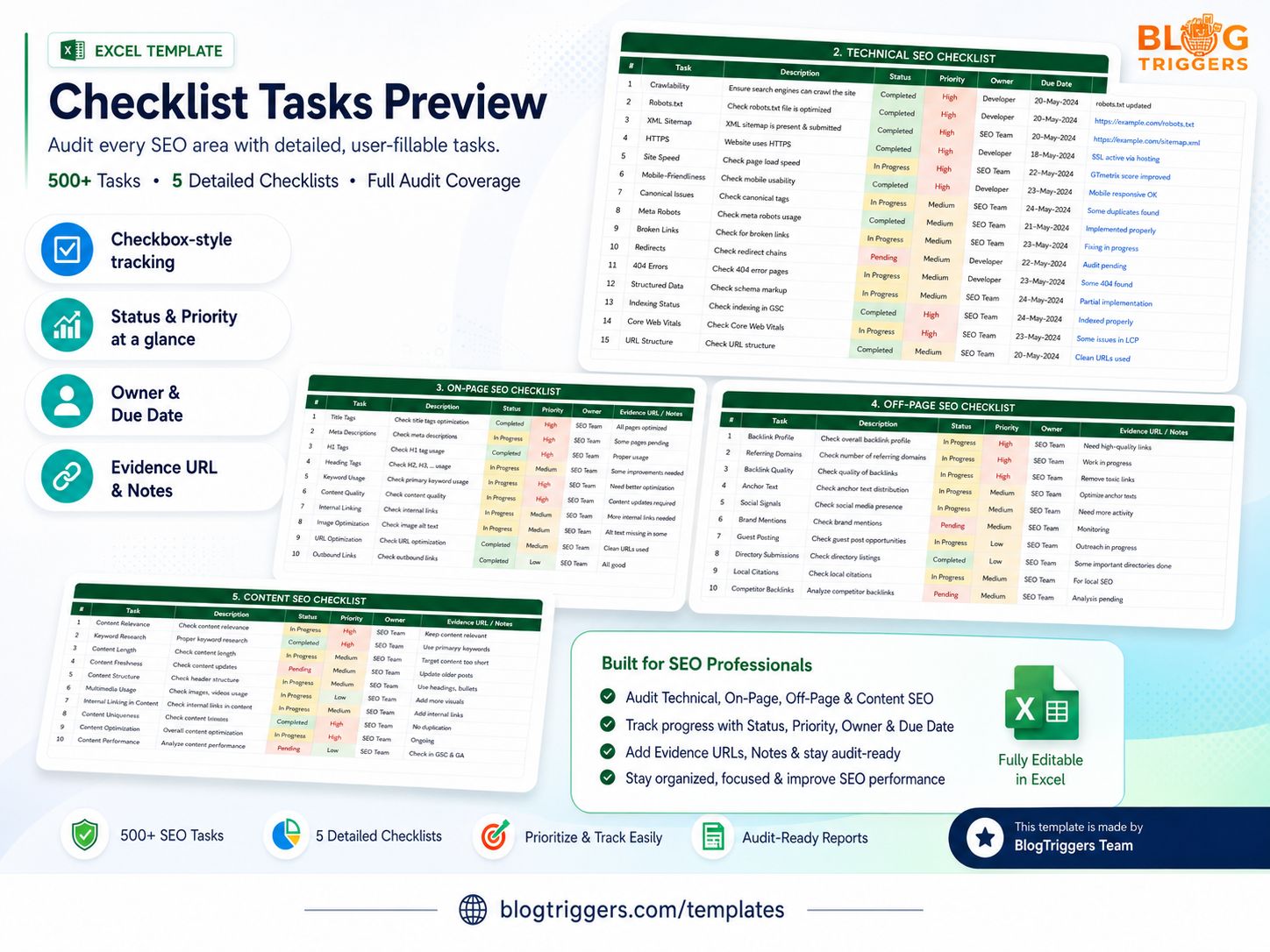
A complete SEO Checklist Excel Template built for bloggers, website owners, freelancers, agencies, marketers, and SEO professionals who want to audit, organize, and track SEO work in one editable workbook.
This template helps you perform a full website SEO audit, manage pending SEO tasks, prioritize high-impact fixes, assign responsibilities, monitor progress, and prepare clean SEO reports without creating everything from scratch.
You can also use this workbook together with the free BlogTriggers SEO tools to generate schema markup, preview meta tags, create robots.txt files, build XML sitemaps, generate SEO-friendly slugs, count words, and format content faster.
What This SEO Template Includes
- 580+ actionable SEO checklist tasks
- SEO audit dashboard
- Checkbox-style task tracking
- Start Here guide
- Step-by-step audit workflow
- Technical SEO checklist
- On-Page SEO checklist
- Content SEO checklist
- Off-Page SEO checklist
- Local SEO checklist
- Ecommerce SEO checklist
- International SEO checklist
- Mobile SEO and Core Web Vitals checklist
- Keyword tracker
- Page-level audit sheet
- Backlink audit tracker
- Content calendar
- Issue tracker
- Monthly SEO report
- SEO tools stack
- SEO cheat sheet
- Official SEO references and sources
Why Use This SEO Checklist Excel Template?
SEO audits can quickly become messy when tasks are scattered across tools, documents, notes, and random spreadsheets. This SEO checklist template gives you a structured workflow to review all important SEO areas and track everything in one place.
Every task is set to Pending by default, so you can start a fresh audit for any website and update progress as you work.
You can track each SEO task with:
- Status
- Priority
- Owner
- Due date
- Completion date
- Evidence URL
- Notes
- SEO impact
- Difficulty level
- Opportunity type
This makes it easier to manage SEO projects, client audits, website improvements, and monthly optimization work.
Key Features
SEO Audit Dashboard
The dashboard gives you a quick overview of your SEO progress. You can monitor total tasks, pending tasks, completed tasks, critical issues, overdue tasks, category-wise progress, and overall SEO health score. This helps you understand what has been completed, what still needs attention, and which SEO areas require the most work.
580+ SEO Tasks
The workbook includes detailed SEO tasks across major SEO categories, including Technical SEO, On-Page SEO, Content SEO, Off-Page SEO, Local SEO, Ecommerce SEO, International SEO, Mobile SEO, Core Web Vitals, Analytics, Keyword Research, Backlink Audit, Page-Level Audit, and Monthly Reporting. The checklist is designed to help users perform a complete SEO audit instead of only checking basic SEO items.
Checkbox-Style Tracking
The template includes checkbox-style completion tracking, making it easier to mark tasks as done and follow progress visually. This makes the workbook simple to use even for beginners.
Start Here Guide
A dedicated Start Here sheet explains how to use the workbook step by step. It helps users understand where to begin, how to fill the sheets, and how to move from setup to audit, prioritization, and reporting.
Step-by-Step Audit Workflow
The workflow sheet guides users through a practical SEO audit process:
- Set up website details
- Confirm tool access
- Run the SEO audit
- Prioritize important issues
- Assign tasks
- Track progress
- Prepare reports
Issue Tracker
The issue tracker helps you record real SEO problems found during the audit. You can add affected URLs, issue details, severity, recommended fixes, owner, status, and evidence links. This is useful for agencies, freelancers, and teams working with developers or clients.
Page-Level Audit Sheet
The page-level audit sheet helps you review individual URLs for SEO essentials like title tags, meta descriptions, H1 tags, word count, internal links, image alt text, canonical tags, indexability, status codes, and recommendations.
For page titles and descriptions, you can use the Meta Tags Preview tool to preview SEO titles, meta descriptions, Open Graph tags, Twitter cards, and search result snippets before publishing.
Keyword Tracker
Track target keywords, search volume, keyword difficulty, current ranking, best ranking, target URL, CTR, and ranking movement. This helps you monitor keyword performance and plan SEO improvements.
Backlink Audit Tracker
Use the backlink audit sheet to review referring domains, anchor text, link type, spam risk, toxicity, and action required. This helps you organize link-building and backlink cleanup work.
Monthly SEO Report
The monthly report sheet helps you track SEO performance over time, including organic sessions, conversions, Google Search Console clicks, impressions, CTR, average position, indexed pages, backlinks gained, completed tasks, and notes.
SEO Tools Stack
The tools sheet includes recommended SEO tools and explains what each tool is used for, when to use it, and what output to add in the workbook.
You can also explore the full collection of free SEO and developer tools by BlogTriggers to support your SEO workflow.
Useful BlogTriggers tools for this template:
- Schema Markup Generator – create JSON-LD schema for articles, products, FAQs, organizations, local businesses, breadcrumbs, and more.
- Meta Tags Preview – preview SEO titles, meta descriptions, canonical tags, Open Graph tags, and Twitter cards.
- Robots.txt Generator – create clean robots.txt rules for crawl control.
- XML Sitemap Generator – build XML sitemaps with priority, frequency, and last-modified data.
- SEO Slug Generator – turn blog titles and page headings into clean, keyword-friendly URL slugs.
- HTML to Markdown Editor – convert HTML to Markdown or Markdown to HTML for content formatting.
- Word Counter – check word count, character count, readability, and content length.
SEO Cheat Sheet
The SEO cheat sheet provides quick reference information for common SEO rules and best practices, such as title tag length, meta description tips, heading structure, image SEO, canonical tags, robots.txt, sitemap, redirects, HTTP status codes, schema, internal linking, and Core Web Vitals.
For structured data work, pair the cheat sheet with the BlogTriggers Schema Markup Generator to create JSON-LD schema faster.
Recommended SEO Workflow With BlogTriggers Tools
Use this template with BlogTriggers tools for a cleaner SEO audit process:
1. Start With Website Setup
Fill in your website details in the Start Here sheet. Add the website URL, brand name, target country, CMS, competitors, audit date, and auditor name.
2. Review Technical SEO
Use the Technical SEO checklist to review crawlability, indexability, HTTPS, redirects, status codes, sitemap, robots.txt, canonical tags, structured data, Core Web Vitals, and mobile usability.
Helpful tools:
3. Optimize On-Page SEO
Use the On-Page SEO checklist to review page titles, meta descriptions, headings, keyword usage, URL structure, image alt text, internal links, and canonical URLs.
Helpful tools:
4. Improve Content SEO
Use the Content SEO checklist to review content quality, search intent, topical depth, freshness, readability, formatting, FAQs, media usage, and internal linking opportunities.
Helpful tools:
5. Track SEO Issues
Move important problems into the Issue Tracker. Add the affected URL, issue type, severity, recommendation, owner, status, evidence URL, and notes.
6. Report Progress
Use the Dashboard and Monthly SEO Report sheets to summarize completed tasks, pending tasks, critical issues, ranking changes, traffic data, clicks, impressions, CTR, average position, and next steps.
Who Is This Template For?
This template is useful for:
- Bloggers
- Website owners
- SEO beginners
- SEO freelancers
- Digital marketing agencies
- Content marketers
- Affiliate marketers
- Ecommerce store owners
- WordPress website owners
- Client SEO reporting
- SEO audit projects
- Marketing teams
Best Use Cases
Use this SEO Excel template when you want to:
- Perform a complete SEO audit
- Track website SEO tasks
- Organize SEO work for clients
- Prioritize SEO fixes
- Manage technical SEO issues
- Track keyword rankings
- Review backlinks
- Plan content improvements
- Prepare monthly SEO reports
- Maintain an ongoing SEO workflow
- Create a repeatable SEO process
What SEO Areas Are Covered?
The template covers major SEO areas, including:
- Technical SEO
- On-Page SEO
- Content SEO
- Off-Page SEO
- Local SEO
- Ecommerce SEO
- International SEO
- Mobile SEO
- Core Web Vitals
Still have questions?
Check our documentation or contact the creator.
SEO Checklist Excel Template – 580+ SEO Tasks, Dashboard, Trackers & Reports
SEO Checklist Excel Template 580+ SEO Tasks, Dashboard, Trackers & Reports A complete SEO Checklist Excel Template built for bloggers, website owners, freelancers, agencies, market
Product Information
You May Also Like
SEO Checklist Excel Template – 580+ SEO Tasks, Dashboard, Trackers & Reports
Free